 Marker
Marker
Marker
The lab hands you a PDF. You look at the one flagged line, and it goes in a drawer. Next year, another PDF and another glance. The thing that would actually tell you something, the direction a value has been moving, is the thing you never get to see.
Marker reads the report on your iPhone, puts every value against the reference range your own lab printed, and keeps the years next to each other. Nothing is uploaded.
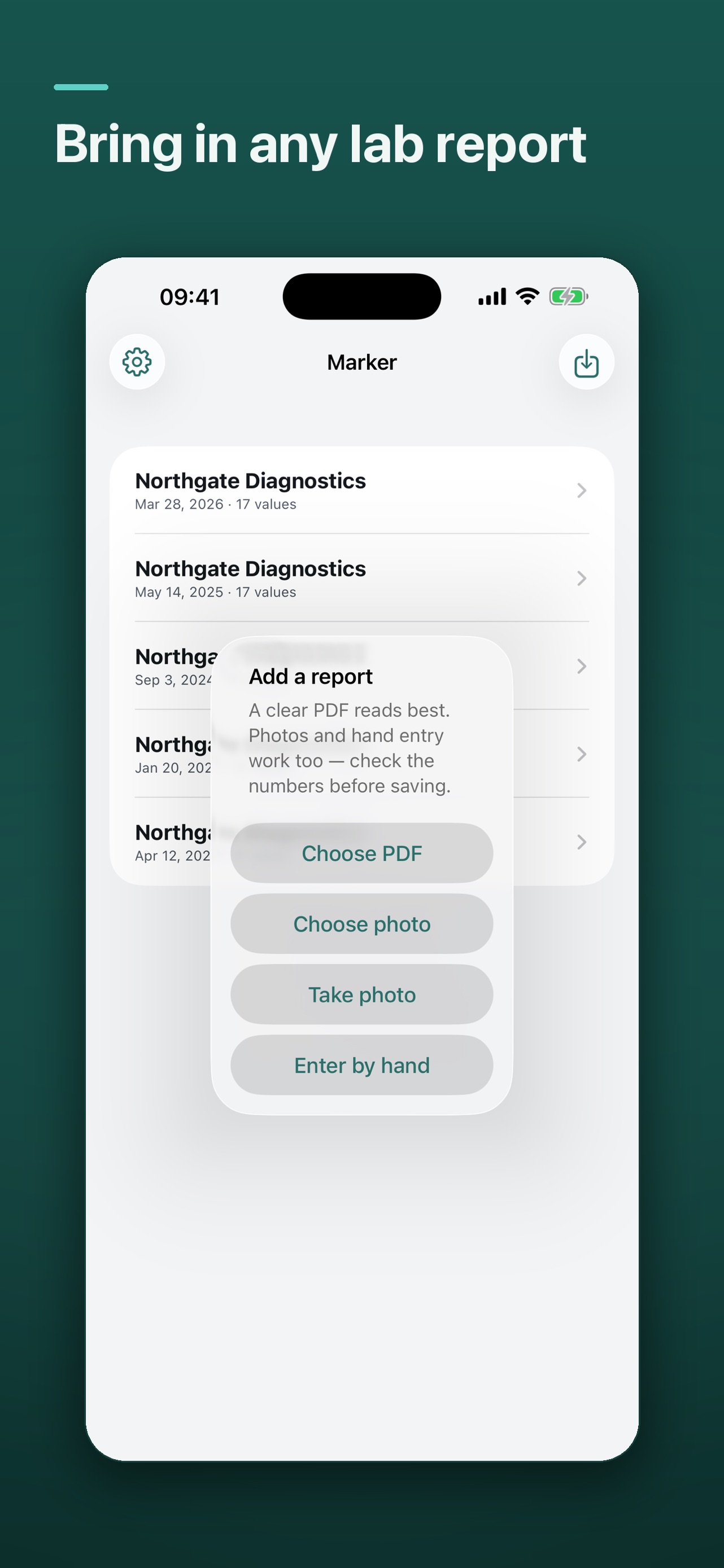
A PDF from the practice portal, a photo of the printout, or typed in by hand. Values are recognised automatically and shown to you to confirm before anything is saved.
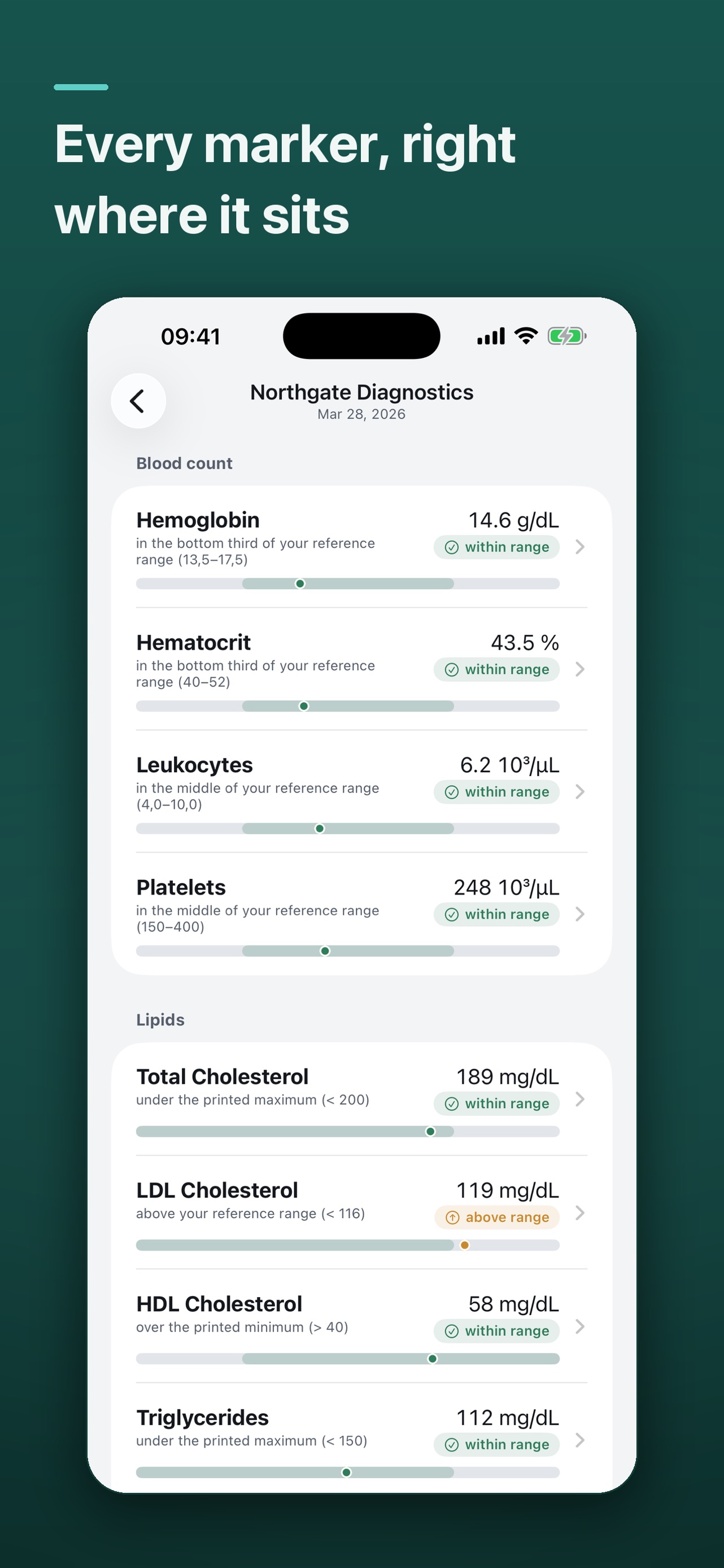
Not just a flag, but where the number actually sits between the bounds your lab printed. Bottom third, middle, or over the line, with the range itself always visible.
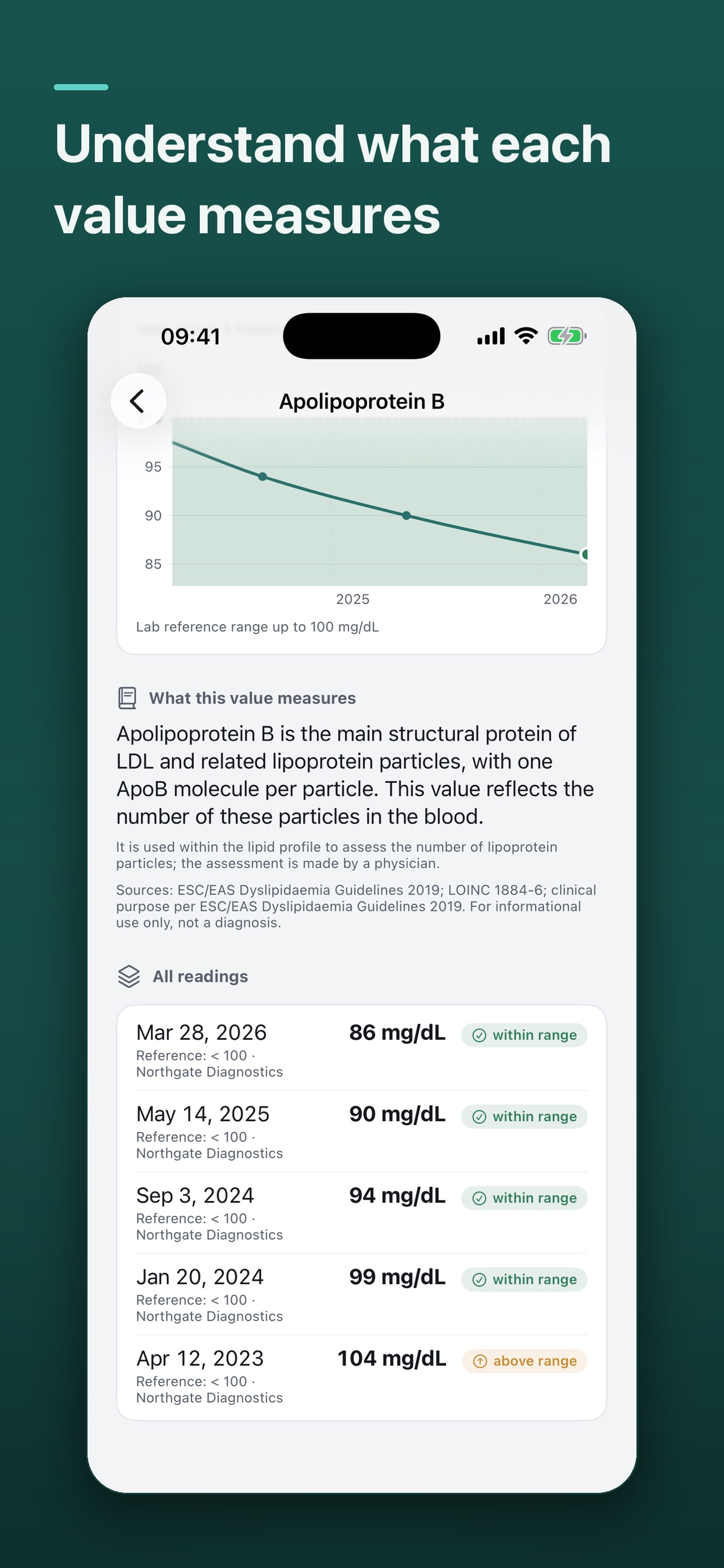
Each value carries a plain explanation of what it measures and why it appears on the panel, with the clinical guideline it refers to named rather than implied.
One marker across every report you have added, drawn as a single line. A value that has come down from 104 to 86 over three years is a different fact than one reading on one day.
Marker shows you what your own report says and explains the vocabulary. It does not interpret your results, diagnose anything, or replace the conversation with your doctor.
Reports are read and stored on your device. There is no account, no cloud and no analytics. Your lab values are the most personal data you are likely to hand an app, which is exactly why Marker never sends them anywhere.
Questions, bug reports, or anything else: Support or ahoi@sent.com.
Built by one person.